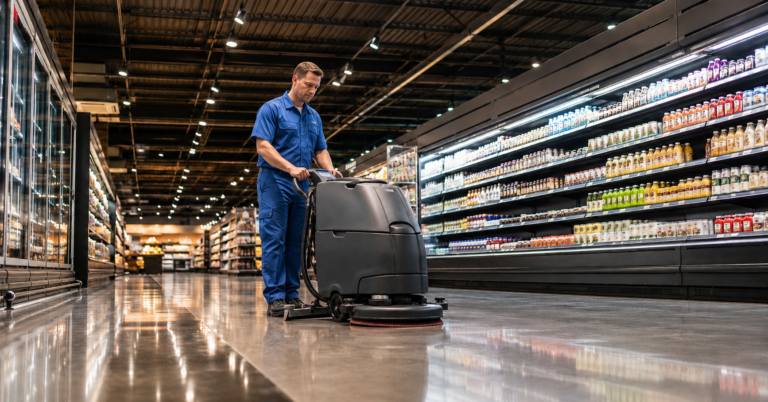
How commercial cleaning software improves workforce productivity
Commercial cleaning software improves workforce productivity by giving managers and cleaners one reliable system for schedules, attendance, task instructions, service evidence, and operational updates. It reduces the coordination work around each shift, so teams can spend more paid time delivering the contracted service and less time resolving preventable confusion.
In practice, the largest gains rarely come from asking cleaners to work faster. Instead, they come from removing gaps between planning and execution: unclear assignments, outdated instructions, missed absences, repeated phone calls, incomplete checklists, and delayed issue reporting.

What does workforce productivity mean in commercial cleaning?
Workforce productivity in commercial cleaning is the amount of contracted, quality-controlled cleaning work a team completes with the available paid hours. Therefore, it covers more than cleaning speed. It also depends on whether the right cleaner arrives at the right site, follows the correct scope, reports issues promptly, and completes the required evidence.
A productive shift is not simply a short shift. If rushing leads to omissions, complaints, or a return visit, the operation loses time overall. Managers should instead consider productive hours, schedule coverage, first-time task completion, inspection results, overtime, travel between sites, and time spent on administrative coordination.
In short: better productivity means completing the required standard with fewer avoidable interruptions, corrections, and manual handoffs.
Where do commercial cleaning teams lose productive time?
Productivity often leaks away before a cleaner begins work. For example, a scheduler may use one spreadsheet for recurring shifts, supervisors may exchange changes through messaging apps, and cleaners may receive site instructions on paper. As a result, nobody has a complete, current view.
Common causes of lost time include:
- Late schedule changes that do not reach the assigned cleaner
- Unfilled shifts caused by absence or unavailable staff
- Repeated calls to confirm arrival, departure, or task completion
- Unclear cleaning scopes, access notes, or site-specific instructions
- Duplicate data entry across timesheets, checklists, and client reports
- Delayed escalation of low stock, damage, or quality problems
- Return visits when teams cannot prove or verify completed work
Each delay may look small. However, across dozens of cleaners and hundreds of recurring shifts, these minutes become a material operating cost.
How does cleaning software increase workforce productivity?
1. It creates one live schedule for recurring and changing work
Commercial contracts involve recurring work, but daily operations still change. A cleaner may call in sick, a client may request additional work, or access hours may shift. Cleaning software keeps the current plan in one place and makes assignments visible to the people who need them.
Consequently, schedulers spend less time reconciling spreadsheets and message threads. They can also identify uncovered work sooner, which gives them more time to find a suitable replacement without creating overtime or service gaps.
2. It matches availability with operational demand
A schedule is only useful when it reflects actual workforce availability. Therefore, managers need visibility into who can work, where they can work, and which assignments they already hold.
With this information, schedulers can reduce clashes and avoid assigning unavailable staff. In addition, they can distribute shifts more deliberately across employees, locations, and contract requirements.
3. Mobile instructions reduce uncertainty on site
Site requirements can vary widely. An office may require daily washroom cleaning, while a healthcare or industrial location may use stricter sequences and controls. Digital checklists give cleaners the relevant instructions for that location and shift.
As a result, cleaners spend less time asking supervisors what to do or searching for old documents. Checklists also support consistency because teams can follow the same approved process even when a substitute cleaner covers the site.
4. Attendance tracking replaces manual confirmation
Without shared attendance visibility, supervisors may call cleaners or visit sites simply to confirm coverage. Digital clock-in and attendance records make exceptions easier to spot.
Managers can then focus on late or missing attendance rather than checking every shift. However, companies should set clear policies for GPS or location-based data, restrict access appropriately, and explain how they use the information.
5. Proof of service reduces rework and disputes
Completed checklists, timestamps, photos, and sign-offs can create a service record. This evidence does not replace quality management. Instead, it gives supervisors and clients a clearer basis for resolving questions about whether contracted work took place.
When the record is complete, teams spend less time reconstructing events from memory. Moreover, managers can distinguish a missed task from a reporting gap and respond accordingly.
6. Faster issue reporting protects the rest of the shift
A cleaner who finds a locked room, damaged equipment, or missing supplies needs a simple escalation route. Mobile reporting can send the issue, location, notes, and supporting photo to the appropriate manager.
Therefore, the cleaner can continue with other tasks while the office team handles the exception. Faster reporting also prevents problems from remaining hidden until the client raises a complaint.
7. Operational reports reveal repeat productivity problems
Software can bring together schedule coverage, attendance, checklist completion, inspections, and reported issues. Managers can then look for patterns rather than managing each exception in isolation.
For example, repeated overtime at one property may indicate an unrealistic scope, poor shift design, access delays, or a training need. The data does not provide the answer automatically. Nevertheless, it tells the manager where to investigate.
A practical multi-site cleaning example
Consider a contract cleaning company responsible for 18 office sites. One evening, a cleaner reports sick two hours before a shift. Under a manual process, the area manager checks a spreadsheet, calls several employees, sends the replacement an address, and separately explains the access and cleaning requirements.
With cleaning management software, the manager can see the open shift and available staff in one workflow. The replacement receives the updated assignment, site notes, and checklist on a mobile device. After arriving, the cleaner records attendance, completes the required tasks, and reports a broken soap dispenser with a photo.
The software does not make the absence disappear. However, it shortens the coordination chain and preserves the service record. As a result, the area manager can manage the exception without losing visibility across the other 17 locations.
Which productivity metrics should cleaning companies track?
Choose a small set of measures that connects labor use with service quality. Otherwise, a narrow focus on hours may encourage rushed work or hide repeat visits.
- Schedule coverage: the proportion of planned shifts assigned and completed
- Attendance exceptions: late, missed, or incomplete shift records
- Productive versus planned hours: actual labor time compared with the contract plan
- Checklist completion: required tasks recorded during each service visit
- First-time completion: work completed without a corrective visit
- Inspection results: quality performance by site, team, or service period
- Overtime and travel: additional labor or movement that may signal poor planning
- Issue response time: how quickly the team acknowledges and addresses an exception
Compare the baseline with results after implementation. In addition, review productivity and quality together so that labor savings do not come at the expense of the agreed cleaning standard.
How should you implement cleaning workforce software?
Start with one measurable operational problem, such as late shift coverage, supervisor check calls, or incomplete service records. Then map the current workflow from schedule creation to client reporting.
Next, standardize core data before rollout. Confirm site addresses, access windows, recurring tasks, cleaner availability, supervisor responsibilities, and escalation rules. Poor or outdated data will simply move existing confusion into a new system.
Pilot the workflow with a manageable group of sites and include cleaners in testing. Because mobile usability affects adoption, check how quickly employees can view a shift, start work, follow a checklist, and report an issue. Provide training in the languages your workforce uses where possible.
Finally, compare baseline measures after several service cycles. Adjust checklists that create unnecessary steps, refine alerts that generate noise, and expand only after the process works reliably.
What are the limitations of cleaning productivity software?
Software cannot correct an unrealistic contract, insufficient staffing, weak training, or poor site access on its own. It can make these problems more visible, but managers still need to act on them.
Overly detailed digital processes can also reduce productivity. For instance, a checklist with unnecessary confirmations may turn useful guidance into extra administration. Therefore, every mobile step should support service delivery, quality, safety, or evidence.
Manual tools may still suit a very small business with a few stable sites. However, spreadsheets and messaging become harder to control as the company adds cleaners, locations, supervisors, and client-specific requirements. The right point to adopt software depends on coordination complexity, not only headcount.
How does Cimplio support this?
Cimplio brings recurring cleaning schedules, workforce availability, mobile task guidance, attendance, proof of service, inspections, and reporting into one operational system. Consequently, office and field teams can work from the same current information across multiple sites.
Managers can use that shared visibility to reduce routine coordination, respond to exceptions earlier, and compare productivity with service quality. Cleaners, meanwhile, receive clearer assignments and site-specific steps without relying on scattered messages or paperwork.
Conclusion
Commercial cleaning software improves workforce productivity by removing avoidable coordination from every shift. A shared schedule, clearer mobile instructions, attendance records, digital checklists, and faster issue reporting give cleaners more time to complete contracted work while helping managers protect service quality.
The strongest results come from fixing a defined operational problem first, then expanding the workflow once teams use it consistently. This approach keeps the system practical and makes productivity gains easier to measure across sites.
FAQ
Can cleaning software reduce labor costs?
It can reduce avoidable overtime, duplicate administration, unnecessary supervisor checks, and corrective visits. However, savings depend on the current process, contract design, data quality, and adoption.
Does cleaning software track employee productivity?
It can record operational indicators such as attendance, planned and actual shift time, checklist completion, inspections, and reported issues. Managers should interpret these measures in context and follow applicable privacy and employment rules.
Is cleaning management software better than spreadsheets?
Spreadsheets can manage basic planning for a small, stable operation. Software becomes more useful when schedules change frequently or teams need shared mobile instructions, attendance records, proof of service, and multi-site reporting.
How long does implementation take?
The timeline depends on the number of sites, users, integrations, and workflows. A focused pilot can begin sooner than a company-wide rollout, especially when site, employee, and contract data is already accurate.
What affects commercial cleaning software pricing?
Common factors include user numbers, locations, selected features, onboarding, integrations, support, and contract terms. Compare the total cost with the administrative time, overtime, rework, and service risks the software may reduce.
Is workforce software suitable for every cleaning company?
It is particularly relevant for contract cleaners, multi-site providers, and teams with recurring schedules or frequent changes. Very small businesses should still assess whether the coordination savings justify the cost and setup effort.